

The Shopify Automation You Can Build Without Code
Browse abandonment. Post-purchase follow-ups. Replenishment reminders. Win-back campaigns. You can build all of them in Shopify Workflows without hiring a developer.
 Arpit Mehar
You're running a wellness brand doing $2M in revenue. A customer browses your best-selling supplement for three minutes. They leave. You want to send a follow-up message. But to set that up, you'd normally need to hire a developer. The quote is $3,000 and it'll take two weeks.
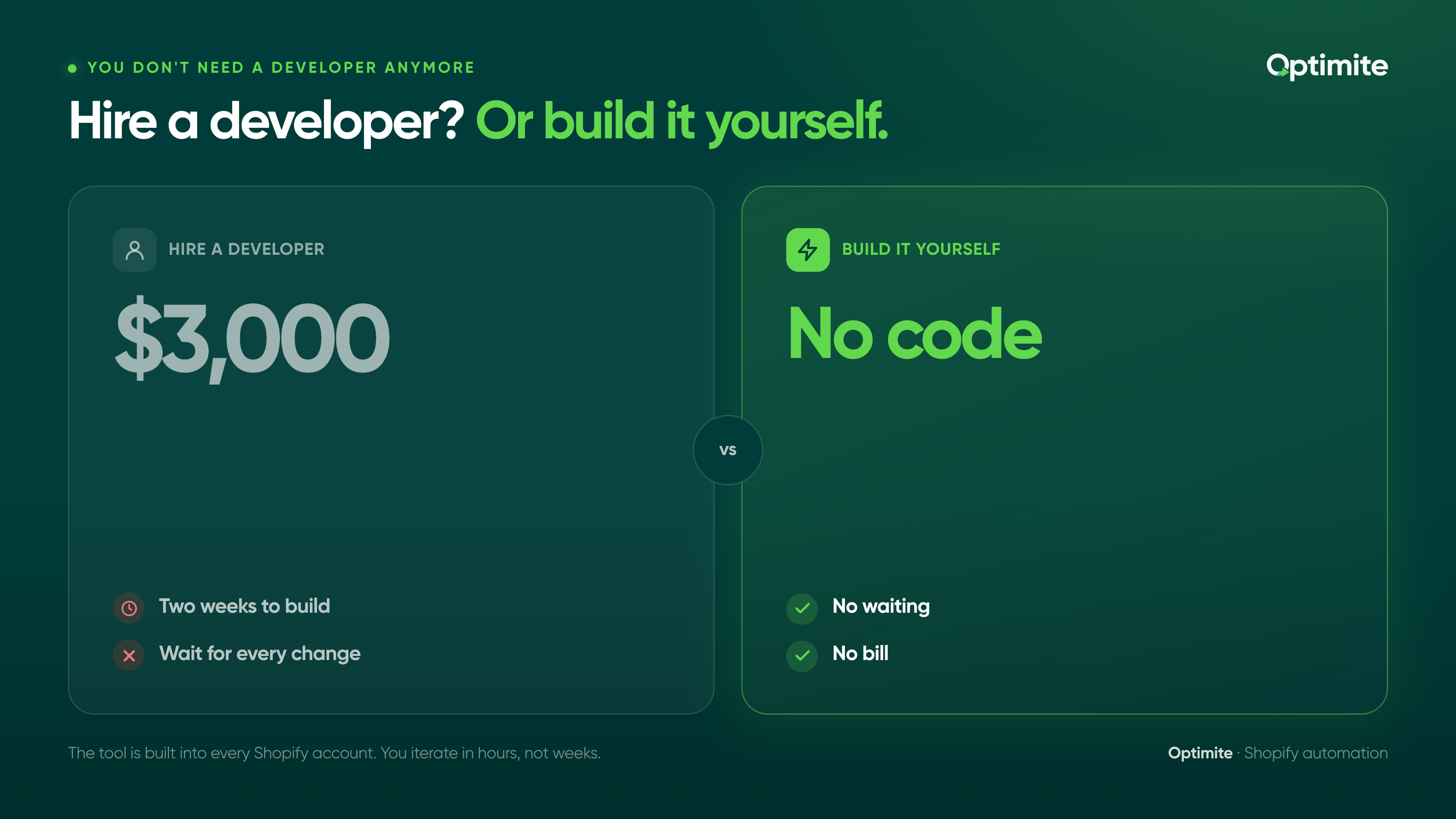
Here's the reality: you don't need a developer anymore. Shopify Workflows lets you build that automation yourself. No code. No waiting. No bill.
This post walks through four automations every Shopify brand should build first, how to set each one up, and why most brands miss them entirely.
Why Shopify Workflows changed the game for retention
For years, Shopify was a store. That was it. If you wanted automation beyond basic email, you needed to connect a third-party tool like Klaviyo and hire someone to build the integration.
Shopify Workflows changed that. It's built into every Shopify account. It lets you automate customer actions without writing code or hiring developers. Browse abandonment. Post-purchase follow-ups. Restock reminders. Win-back campaigns. All of it is possible through the Shopify admin.
For non-technical founders and store managers, this is massive. You can now build retention automations in the time it takes to grab coffee.
A fashion brand we work with used to wait three weeks for any automation change. With Workflows, they iterate in hours. They test different messaging. They optimize the timing. The speed has changed their whole retention strategy.
The catch: most Shopify brands don't know Workflows exist. So they're still doing manual work or paying agencies to build what they could build themselves.
What no-code automation means for your retention strategy
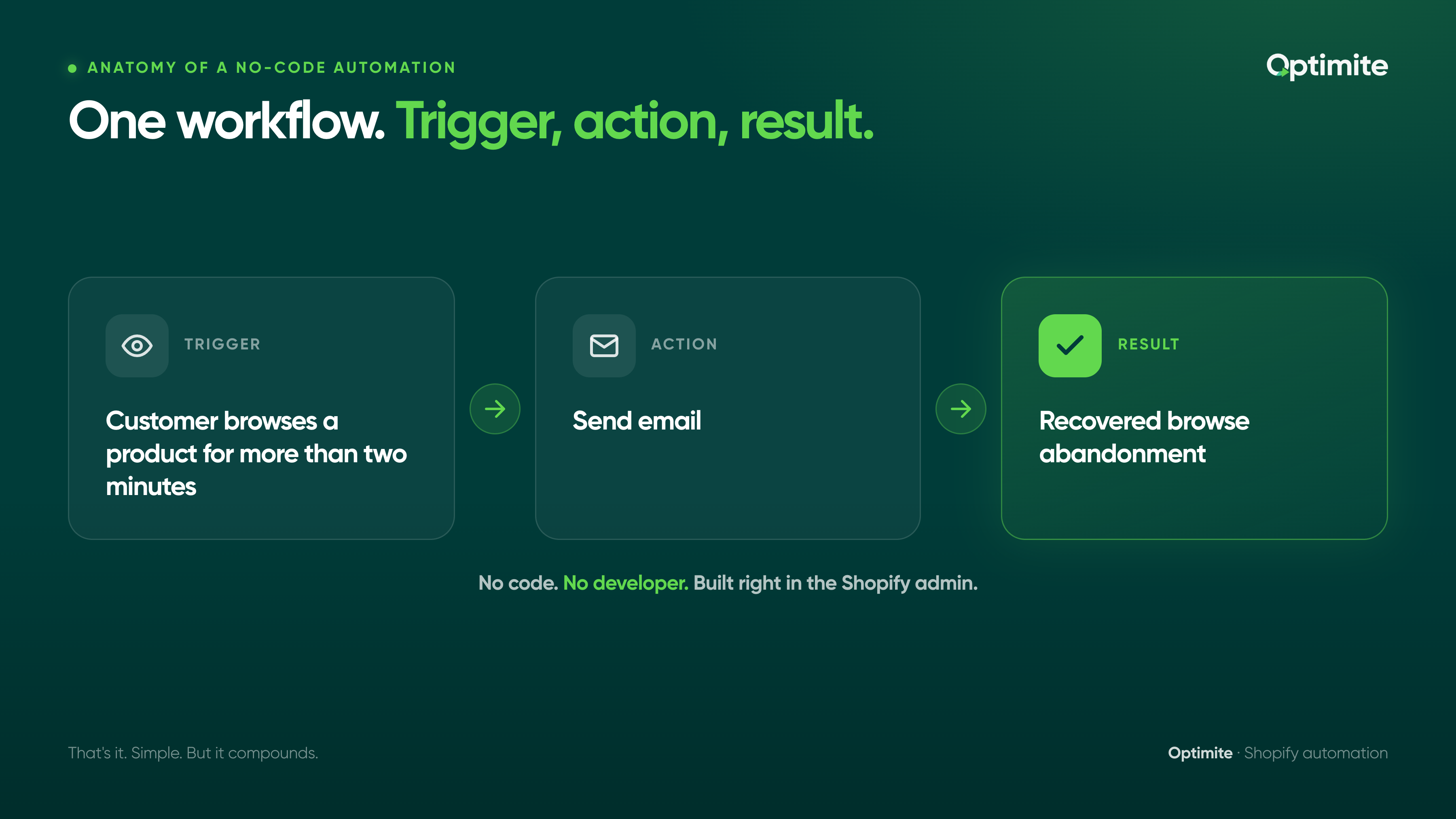
Let's define it clearly: no-code automation is a workflow triggered by a customer action that sends a message (email, SMS, or custom notification) without you needing to write code or hire a developer.
Trigger: Customer browses a product for more than two minutes.
Action: Send email.
Result: Recovered browse abandonment.
That's it. Simple. But it compounds.
A wellness brand running five automations sees on average 30-40% of their repeat revenue flowing through those automations. A wellness brand with zero automations sees under 15%. Same list size. Same products. Different systems.
When you build automations yourself, three things happen. First, you move faster. Changes that used to take weeks happen in hours. Second, you learn what works. You test timing, messaging, segmentation. You improve. Third, you save money. No developer fees. No integration costs. Just your time.
The brands winning at retention aren't hiring more people. They're automating more work. And they're doing it themselves.
The 4 automations every Shopify brand should build first
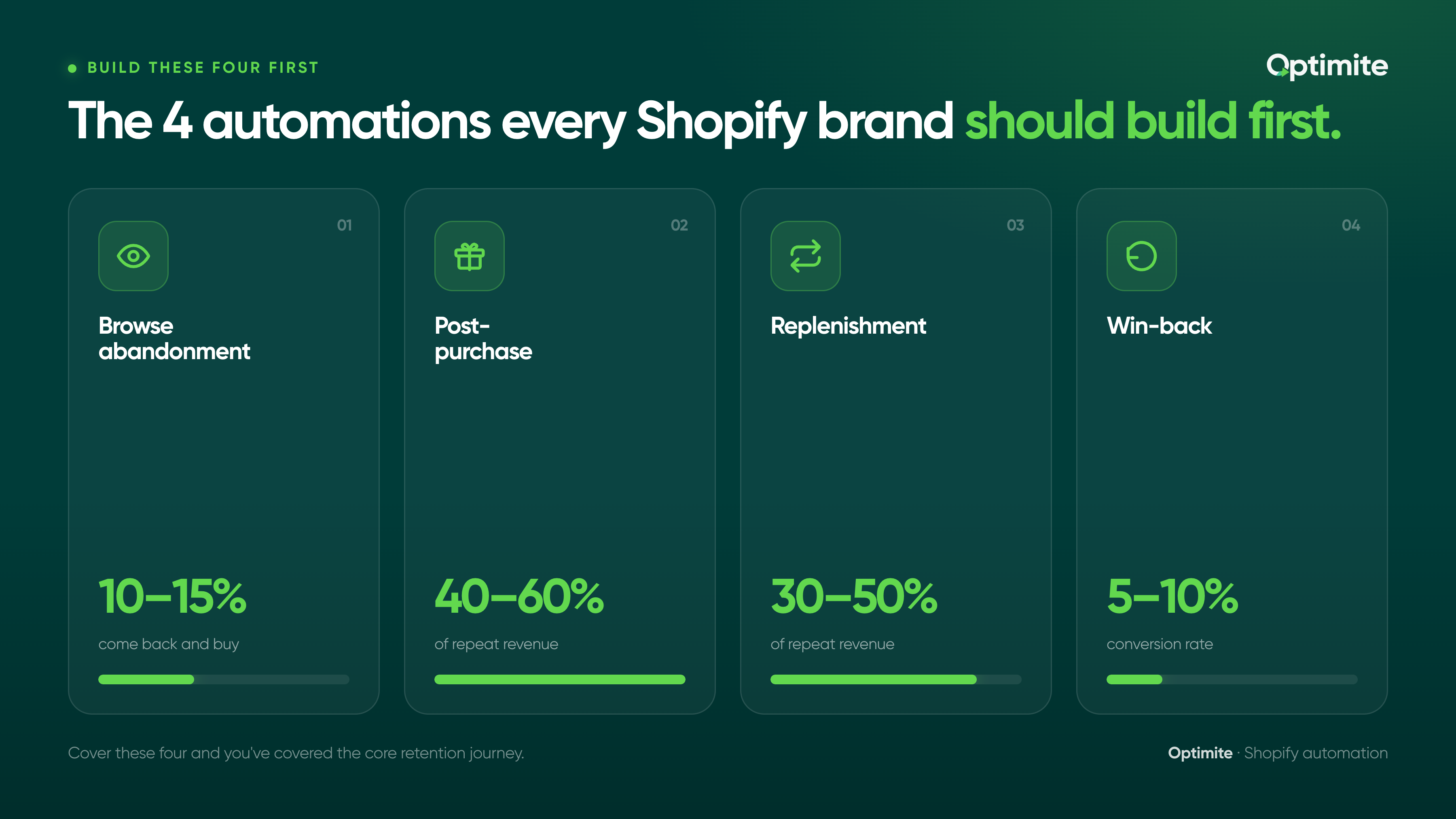
Not every automation matters equally. Some automations drive 40% of repeat revenue. Others drive 2%.
Here are the four that move the needle for most D2C brands:
- Browse abandonment: Recover customers who viewed a product but didn't buy
- Post-purchase: Delight new customers and set up the next purchase
- Replenishment or restock: Remind customers when it's time to buy again
- Win-back: Re-engage customers who haven't purchased in 60 days or more
If you build these four, you've covered the core retention journey. Most brands stop here. Some add seasonal automations or loyalty workflows. But these four are foundational.
Let's walk through how to build each one.
Automation 1: Browse abandonment workflow
A customer visits your site. They spend two minutes looking at a product. They leave without buying.
Most brands let them go. You're going to reach out.
The trigger: Customer views a product and doesn't purchase within 24 hours.
The message: Remind them what they were looking at and why it's good. Keep it short. One clear ask.
The result: 10-15% of people who get this message come back and buy.
Here's how to build it in Shopify Workflows:
Step 1: Go to Shopify Admin > Workflows.
Step 2: Click "Create workflow." Name it "Browse Abandonment."
Step 3: Choose your trigger. Select "Customer browses a product." Shopify will ask you to specify the product or collection, or leave it open for all products.
Step 4: Add a condition. "If purchase does not happen within 24 hours" then trigger the workflow.
Step 5: Choose your action. Select "Send email" or "Send SMS" depending on your channel.
Step 6: Write your message. Keep it to one sentence and one link. Example: "Still thinking about the Magnesium Sleep supplement? It's back in stock and 15% off for you today."
Step 7: Set the delay. Most browse abandonment workflows work best 4-6 hours after the browse event. This gives the customer time to forget, then nudges them.
Step 8: Test it. Browse a product yourself and wait for the email to arrive.
Step 9: Turn it on.
Result: You're now recovering browse abandonment. A supplement brand doing $3M in revenue sees 60-80 customers per month come back through this workflow. That's $8,000-$12,000 in recovered revenue per month.
Automation 2: Post-purchase follow-up workflow
The customer just bought. You sent them an order confirmation. Now what?
Most brands do nothing for 14 days. By then, the customer has forgotten the purchase. They're not thinking about the product. Engagement is zero.
The winning strategy is post-purchase engagement. Day 1, thank them and remind them what they bought. Day 3, give them a tip on how to use it. Day 5, ask for feedback. Day 10, remind them when to reorder.
The trigger: Customer completes a purchase.
The sequence: Three emails over 10 days, each with a different job.
Here's how to build it:
Step 1: Go to Workflows and create a new workflow. Name it "Post-Purchase Onboarding."
Step 2: Choose your trigger: "Customer completes a purchase."
Step 3: Add your first action. Send an email on Day 0. Subject: "Your [product] arrived." Message: Thank them. Tell them how to use it. Include a video link or guide.
Step 4: Add a delay. 48 hours.
Step 5: Add your second action. Send an email on Day 2. Subject: "Here's how to get the most from your [product]." Message: Share a tip, recipe, or usage guide. Include customer photos or reviews.
Step 6: Add another delay. 72 hours.
Step 7: Add your third action. Send an email on Day 5. Subject: "How's it going?" Message: Ask for feedback. Link to a survey or review request.
Step 8: Test it. Make a test purchase and watch the emails arrive.
Step 9: Turn it on.
Result: Post-purchase emails have 2-3x higher open rates than regular campaigns. This workflow will increase repeat purchase rate by 8-15% depending on your product and audience.
Post-purchase flows account for 40-60% of repeat revenue for most D2C brands. This is the single highest-ROI automation you can build.
Automation 3: Restock or replenishment reminder workflow
For supplement brands, food brands, and subscription-adjacent businesses, this is gold.
A customer bought a three-month supply. They'll run out in 90 days. You want to remind them to reorder before they run out.
The trigger is simple: purchase date plus your replenishment window.
Here's how to build it:
Step 1: Create a new workflow. Name it "Replenishment Reminder."
Step 2: Choose your trigger: "Customer completes a purchase."
Step 3: Add a delay. If your customers typically use the product in 45 days, delay 40 days before sending.
Step 4: Add a condition. "If customer has not repurchased" then send the reminder.
Step 5: Send an email. Subject: "Time to restock your [product]." Message: Keep it simple. "Your [product] runs out this week. Reorder now and get 15% off."
Step 6: Make it urgent. Add a deadline. "Valid until Thursday" creates urgency.
Step 7: Test it. Set a test purchase and watch for the reminder 40 days later, or test with the date settings in Workflows.
Step 8: Turn it on.
Result: For subscription-adjacent products, this workflow drives 30-50% of repeat revenue. A food brand using this sees 25% of customers reorder before they manually request it.
Automation 4: Win-back and re-engagement workflow
A customer bought from you once. Then nothing. Six months have passed. They're not opening emails. They're not browsing the site.
Most brands give up on these people. You're going to win them back.
Here's how to build it:
Step 1: Create a new workflow. Name it "Win-Back Campaign."
Step 2: Choose your trigger: "Customer has not purchased in 180 days."
Step 3: Add a condition: "If customer has not opened an email in 90 days" (this ensures they're truly inactive, not just not buying).
Step 4: Send an email. Subject: "We miss you. Here's 20% off to come back." Message: Remind them what they loved about your product. Offer an incentive to return.
Step 5: Add a delay. 5 days later, send a follow-up SMS if they're opted in. "Still thinking about it? This offer expires Thursday."
Step 6: Test it.
Step 7: Turn it on.
Result: Win-back campaigns typically see 5-10% conversion rate. Not huge, but for a brand with 10,000 inactive customers, that's 500-1,000 reorders.
Don't send too many win-back messages. One email, one SMS follow-up. More than that, and you'll increase unsubscribes faster than you'll recover customers.
Common mistakes when building automations and how to fix them
Most Shopify brands get Workflows running, then hit a wall. They're not seeing results. They don't know why.
Mistake 1: Automations triggering too often.
A customer buys. A post-purchase workflow triggers. Three days later, they browse a product. A browse abandonment workflow triggers. Now they're getting two automated emails from different workflows at the same time. It feels repetitive. They unsubscribe.
Fix: Coordinate your triggers. If a post-purchase workflow is active, pause browse abandonment for 10 days. Let the post-purchase sequence finish first.
Mistake 2: Unclear segmentation.
You're sending replenishment reminders to customers who only bought once and will never need to replenish. Unsubscribe rate spikes. ISPs notice. Deliverability tanks.
Fix: Segment carefully. Replenishment reminders should only go to subscription or repeat-purchase customers. Browse abandonment should only go to people who didn't buy. Make sure each workflow knows who it's for.
Mistake 3: Weak messaging.
The email is generic. "Hey, don't forget about us." The click rate is 2%. The conversion is nearly zero.
Fix: Personalize. Use the customer's name. Reference what they looked at or bought. Make it specific. "You were checking out our Magnesium Glycinate. It's been a bestseller this week. Check it out."
Mistake 4: Not testing timing.
You send browse abandonment emails 2 hours after the browse event. Conversion is 8%. You never test a different timing. You never realize that 6 hours after browse gets 14% conversion.
Fix: Build multiple versions of the same workflow with different timing. Test one month at a time. Track which timing performs best. Then optimize.
How to measure impact and optimize
You've built four automations. Now you need to know if they're working.
What to measure:
Emails sent, emails delivered, open rate, click rate, conversion rate, and revenue per automation. Shopify Workflows shows all of this.
Here's the playbook:
Week 1: Turn on all four automations and run them for a full week. Let data accumulate. Don't judge yet.
Week 2: Check performance. Which automation has the highest click rate? Which has the lowest? That tells you where to optimize first.
Week 3: Optimize the lowest performer. Change the messaging. Change the timing. Change the segmentation. Test one variable at a time.
Week 4: Measure again. Did it improve? If yes, keep the change. If no, revert.
Repeat for the next three weeks with the second-lowest performer.
Key metrics to watch:
Open rate should be 15-25% for browse abandonment, 20-30% for post-purchase, 10-20% for win-back.
Click rate should be 3-8% across all workflows.
Conversion rate should be 2-5% depending on your product and price point.
If you're below these benchmarks, your message or segmentation needs work. If you're above them, you're doing well. Keep iterating.
Most Shopify brands see 15-25% of their repeat revenue flowing through automations within the first 90 days of implementation. If you're below 10%, your automations need optimization or your segmentation is too broad.
Shopify Workflows puts automation in your hands. No developers. No long setup. No fees.
The brands pulling away from the competition aren't hiring more staff. They're automating the core retention journeys and spending their time on the strategies that only humans can build.
You have everything you need. The tool is built in. The documentation is clear. The only thing missing is the decision to build it.
Start with browse abandonment this week. Post-purchase next week. By the end of the month, you'll have four automations running 24/7 without lifting a finger.
Want help auditing your current automations or building a retention system that actually works? Let's talk. We work with Shopify brands to turn customer data into retention systems. See how we've helped fashion, wellness, and food and beverage brands build automation systems that drive 30-40% repeat purchase rates.


